
Pinterest Video Downloader — save pins in HD
Paste a Pinterest link to download the video as MP4 in up to HD 720p, or save the pin’s image and GIF in original quality. It works on iPhone, Android and PC, with no app and no sign-up.
Files download straight to your device. Please save only pins you own or have permission to use, and credit the creator.
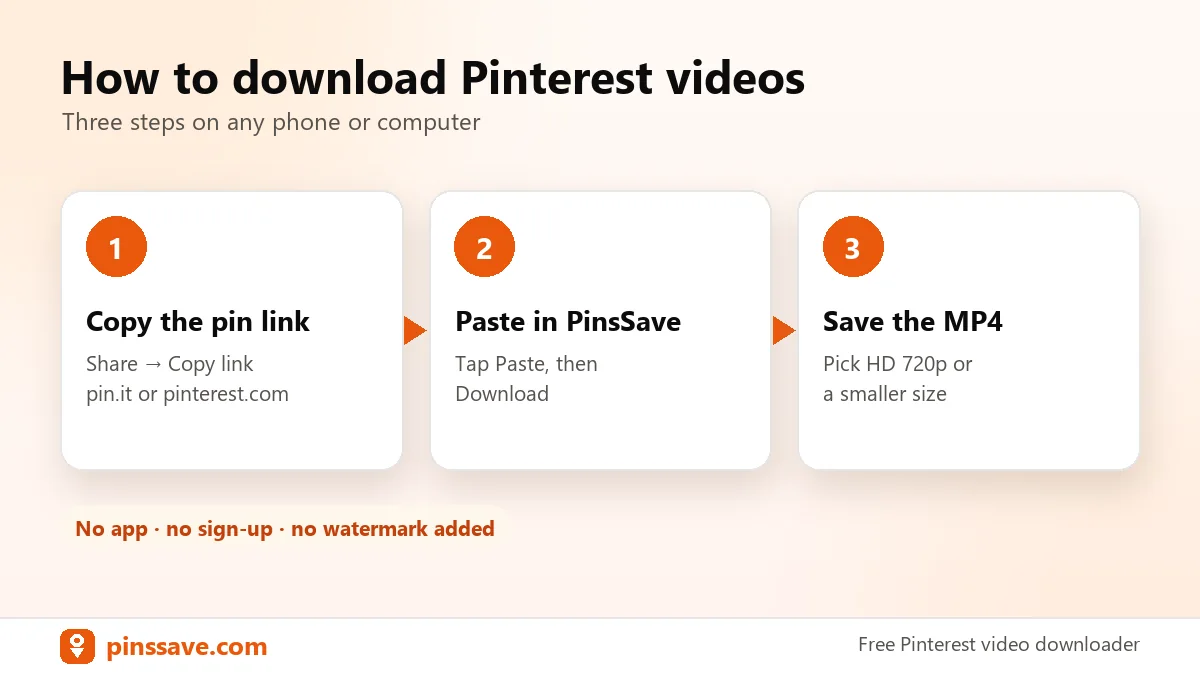
How to download Pinterest videos
Three steps on any phone or computer.
Copy the pin link
Open the video pin on Pinterest, tap Share (or the ⋯ menu) and choose Copy link. Both pinterest.com/pin/… and short pin.it/… links work.
Paste it above
Paste the link into the box (or tap Paste) and press Download. PinsSave shows the pin’s preview and title.
Choose quality and save
Pick HD 720p or a smaller size, or the original image. The file saves straight to your Downloads folder or gallery.
Pinterest to MP4, from 240p to HD 720p.
Pinterest stores each video in several sizes. PinsSave lists every one, so you can grab the sharpest copy for your laptop or a smaller file for your phone.
- HD 720p, 540p, 360p and 240p when available
- MP4 (H.264), which plays on every phone, PC and TV
- Original audio kept
Save images and GIFs in original size.
Not every pin is a video. For image pins, PinsSave fetches the original upload, not the compressed preview, and animated GIFs stay animated.
- Full-resolution JPG, PNG and WebP
- Animated GIFs saved as GIF
- Works with Idea Pins too
i.pinimg.com/originals/… → JPG · PNG · GIF
Download Pinterest videos on any device
PinsSave runs in your browser, so the steps are almost the same everywhere.
iPhone & iPad
Use Safari, then find the video in Files → Downloads and save it to Photos.
Read the guide →Android
Use Chrome. Videos land in Downloads and show up in your Gallery automatically.
Read the guide →Windows & Mac
Copy the pin URL from the address bar, paste it here and save the MP4.
Read the guide →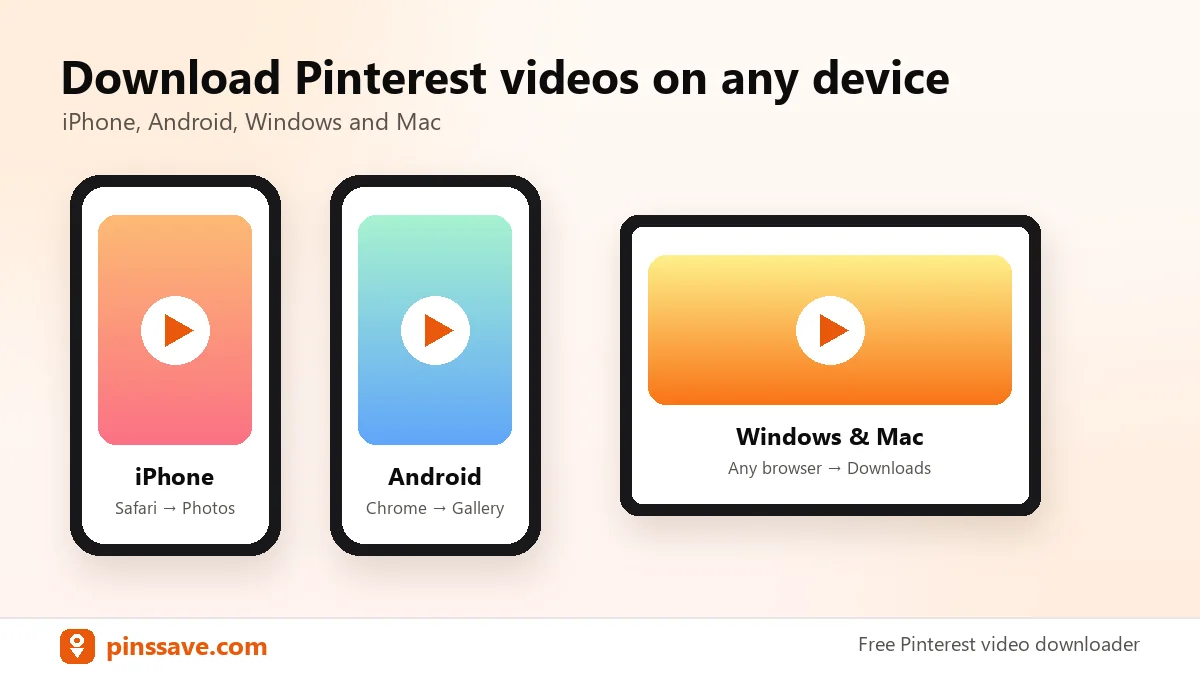
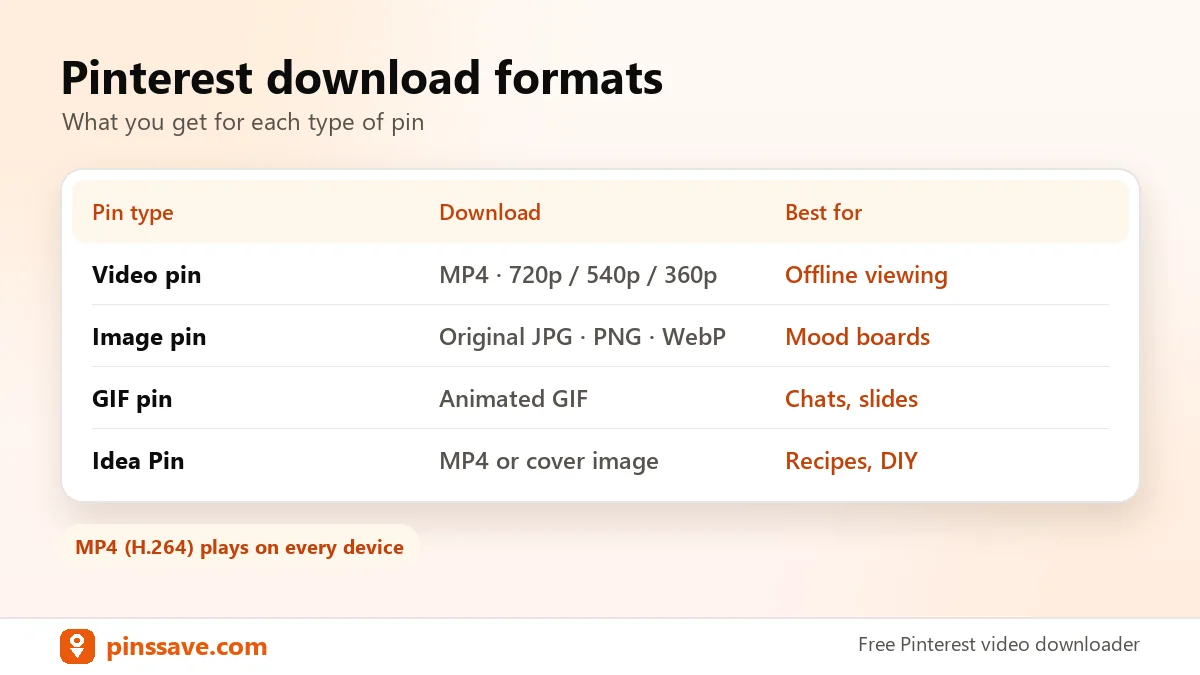
Pinterest download formats
| Pin type | You get | Best for |
|---|---|---|
| Video pin | MP4 in 720p, 540p, 360p or 240p | Watching offline, editing your own content |
| Image pin | Original JPG, PNG or WebP | Mood boards, wallpapers, references |
| GIF pin | Animated GIF | Chats and presentations |
| Idea Pin | Video MP4 or cover image | Recipes, tutorials, DIY steps |
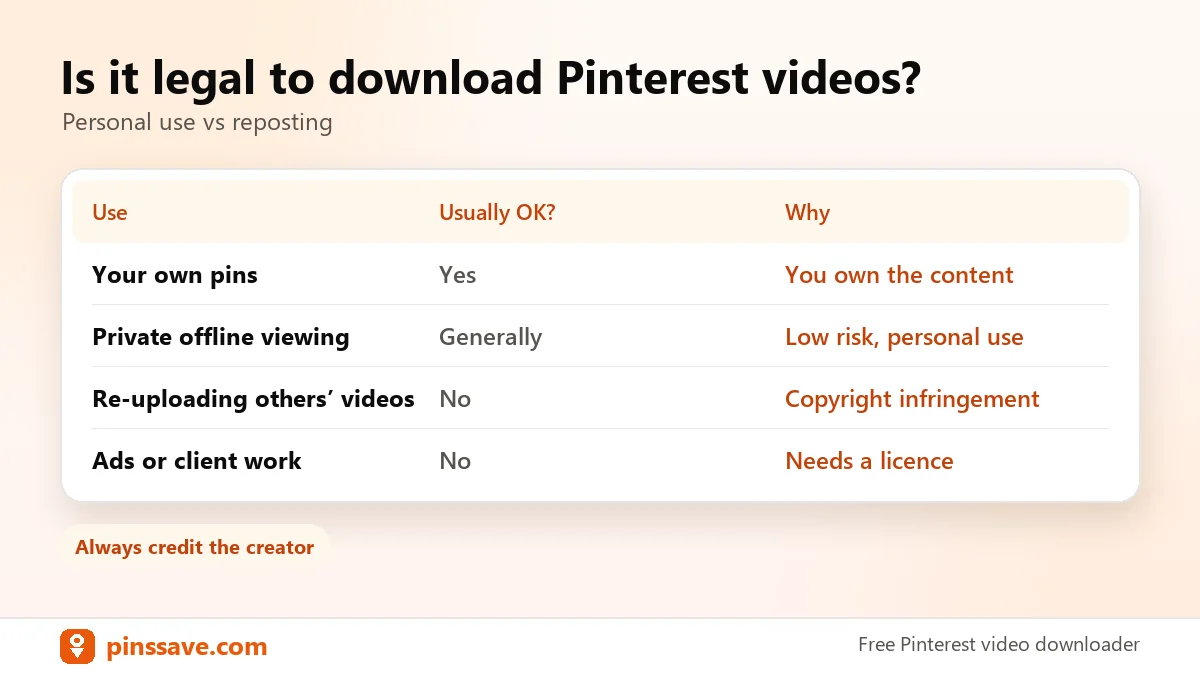
Is it legal to download Pinterest videos?
Downloading a pin for personal, offline viewing is generally tolerated. Re-uploading someone else’s video, or using it commercially without permission, can break copyright law and Pinterest’s terms. Save your own pins or pins you have permission to use, and always credit the creator. Read our full guide on whether it’s legal to download Pinterest videos, Pinterest’s own copyright policy and our DMCA page.
Pinterest downloader FAQs
How do I download a video from Pinterest?
Copy the pin’s link (Share → Copy link), paste it into PinsSave and press Download. Then pick HD 720p or a smaller size, and the MP4 saves to your device.
Does PinsSave work with pin.it short links?
Yes. Short links from the Pinterest app, like pin.it/abc123, are expanded automatically to the original pin.
What quality are Pinterest videos?
Most Pinterest videos are available up to 720p. PinsSave lists every size Pinterest provides, usually 720p, 540p, 360p and 240p, and marks the best one.
Is there a watermark?
PinsSave doesn’t add any watermark or logo. You get the same file Pinterest streams. If the creator added their own watermark to the video, it stays.
Can I download Pinterest images and GIFs?
Yes. For image pins PinsSave fetches the original upload in full resolution, and GIF pins download as animated GIFs.
Can I download private or deleted pins?
No. PinsSave can only fetch pins that are public on Pinterest. Secret boards, private pins and deleted pins can’t be downloaded.
Where do downloaded videos go?
On Android and PC, files go to the Downloads folder. On iPhone they go to Files → Downloads, and you can then tap Share → Save Video to add them to Photos.
Is PinsSave free and safe?
Yes. It’s free, with no sign-up, no app and no browser extension. We don’t ask for your Pinterest login and we don’t store your downloads.
Save your favourite pins in seconds
Videos, images and GIFs from Pinterest, free on any device.
Paste a Pinterest link ↑PinsSave is an independent tool and is not affiliated with, endorsed by or sponsored by Pinterest, Inc.